
Your photo, ready to paint.
See your own photo as a real paint-by-number template: free, in your browser, before you buy anything.
or drop a photo here · JPG, PNG or WebP. A close-up in good light works best.
- Free
- No sign-up
- Photo stays on your device
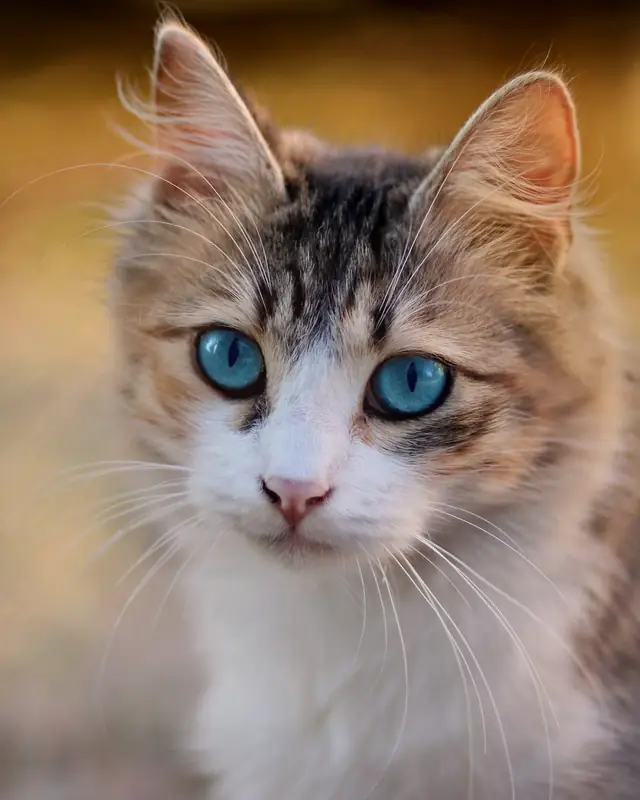
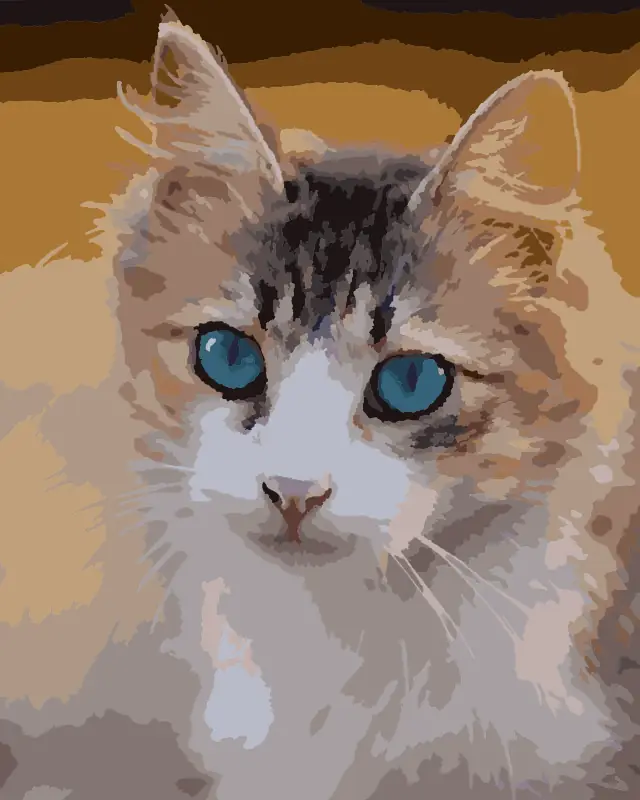
Real output of our free tool. The colour preview is a digital render, not a painted canvas. Photo: AdinaVoicu, CC0.
Made from real photos
Every example below came straight out of our tool. The small picture is the original photo.
All examples are digital renders by our tool, not painted canvases. Photos are CC0 (public domain) from Wikimedia Commons; credits under each one.
How it works
-
Choose a photo
Pets, family, couples or places. A close-up in good light works best. It stays on your device.
-
See your template
Pick a level and a canvas size, then compare the numbered template with your photo.
-
Download and paint
Get a free printable PDF with the numbered template and a colour guide, then paint one number at a time.
Ready-to-paint kits: coming soon (if enough people want them)
We're exploring kits made from your own photo. Nothing is for sale yet, there's no date, and we'll only go ahead if enough people want one.
From template to wall
Paint at your own pace, one number at a time, and hang the result where you'll see it every day.
- Print the template at the size you pick, from 20 × 25 cm to 60 × 80 cm, or a custom size.
- Match each number to its colour in the guide.
- Keep it, or give it to someone who'll love it.
Kits are on the way. We're working on ready-to-paint kits made from your own photo. Nothing is for sale yet.
Make a free template first: the sign-up is on your result screen.
Get notified when kits launchQuestions
Is it really free?
Yes. Making your template and downloading the PDF is free, with no account. We're also exploring ready-to-paint kits; nothing is for sale yet.
Is my photo uploaded anywhere?
No. The tool runs in your browser, so your photo never leaves your device. We don't see it, store it or keep a copy.
What's in the PDF?
Page 1 is your numbered template at full size: the page is exactly the canvas size you chose. Page 2 is the colour guide on A4, with every colour and its number.
How do I print it?
For the full size, ask a print shop to print page 1 at 100%. The result screen tells you the paper size you need (for example A2 for 40 × 50 cm). A 20 × 25 cm template fits on A4 at home. Otherwise, choose "Fit to page" at home for a smaller practice copy.
Which sizes and levels can I choose?
For the free template: 20 × 25, 30 × 40, 40 × 50, 50 × 65 or 60 × 80 cm, or a custom size from 20 to 100 cm per side. Small canvases get fewer colours or bigger areas so they stay paintable. These are template sizes only; we haven't decided kit sizes yet. Three levels: Beginner (about 14 colours, bigger areas), Standard (about 24) and Detailed (about 36).
Which photos work best?
Sharp, well-lit close-ups where the subject fills most of the frame. Pets and close-up portraits usually work well. Very dark, blurry or tiny photos give rougher templates, and the tool will tell you.
When do kits launch?
We don't have a date yet, and we can't promise they will launch. We're finding out first whether people want them. Join the list and we'll email you if and when they do. There's no payment now.
Who's behind Brushsake?
Brushsake is a small New Zealand business. Questions are welcome at [email protected], and privacy questions at [email protected].

Made in New Zealand
Brushsake is a small New Zealand business. We built this tool so anyone can see their own photo as a paint-by-number before spending a cent, and keep their photo private while they do.
Move and zoom, then pick a level
Drag to move, or use the arrow keys.
Here's your template
The colour preview is a digital render, not a painted canvas.
Tip: zoom in to see lines and numbers at print scale.
Page 1: the numbered template at full size. For the full size, ask a print shop to print it at 100%; at home, choose "Fit to page" for a smaller practice copy. Page 2: the colour guide on A4. No email needed.
Order this as a kit
Printed canvas, numbered paints and brushes, made from this template. Staging test only.
Thanks! Please check your inbox
We've sent you an email from [email protected]. Tap Confirm in it so we can tell you when kits launch. No payment now.
Can't see it? Check your spam or promotions folder.
Thanks, that really helps.